
Automations Studio
Visual workflow builder, AI chatbot, and multi-channel messaging — all in one Odoo module. Build automations with drag & drop, approve from chat, and let AI generate flows for you.
Drag & Drop
Visual flow builder — no code
Multi-Channel
Telegram, Discord, Slack & more
AI Chatbot
Search & run from chat
Approval
Approve directly from chat
See Automations Studio in action
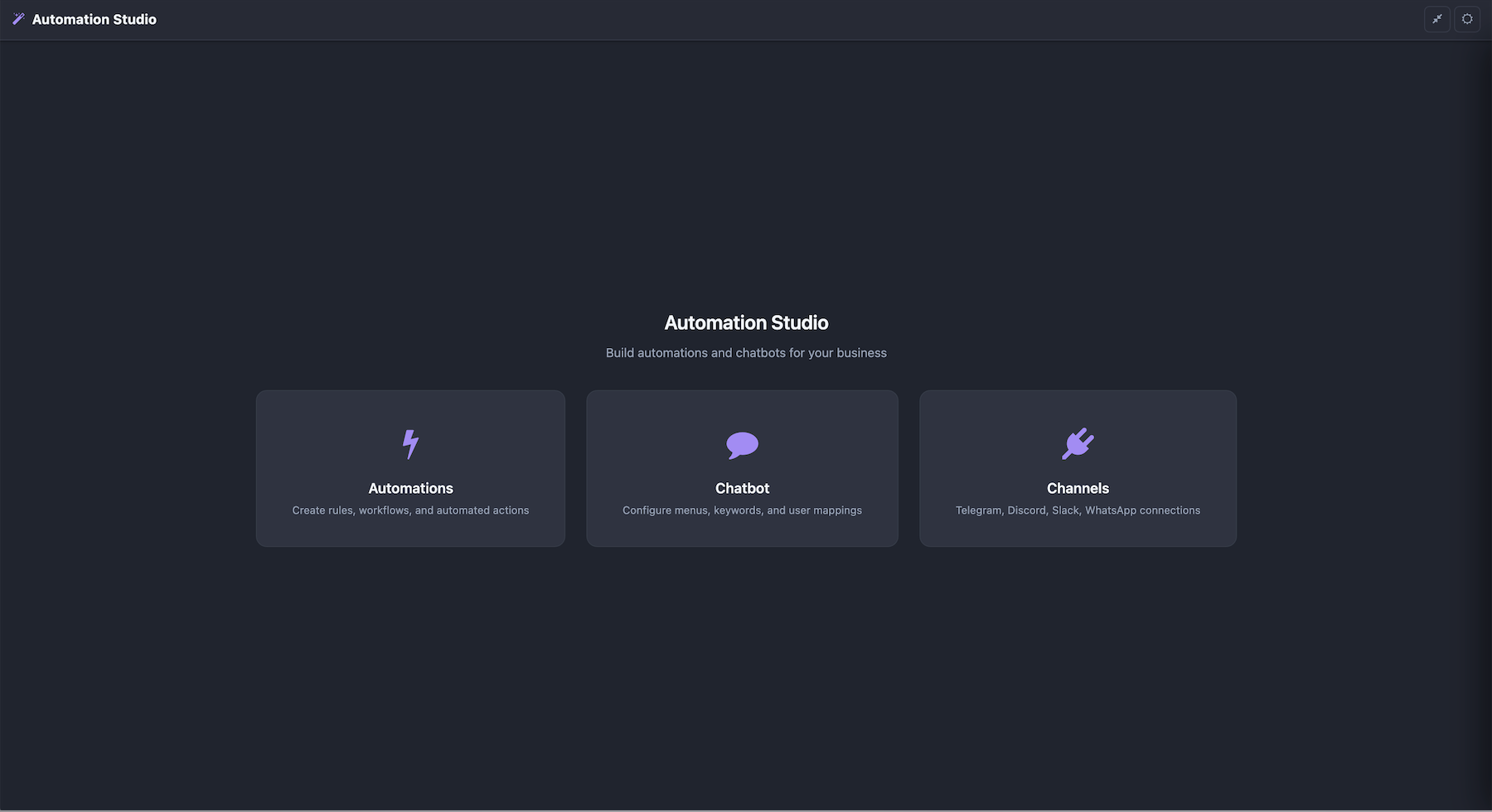
Home — Dashboard & statistics
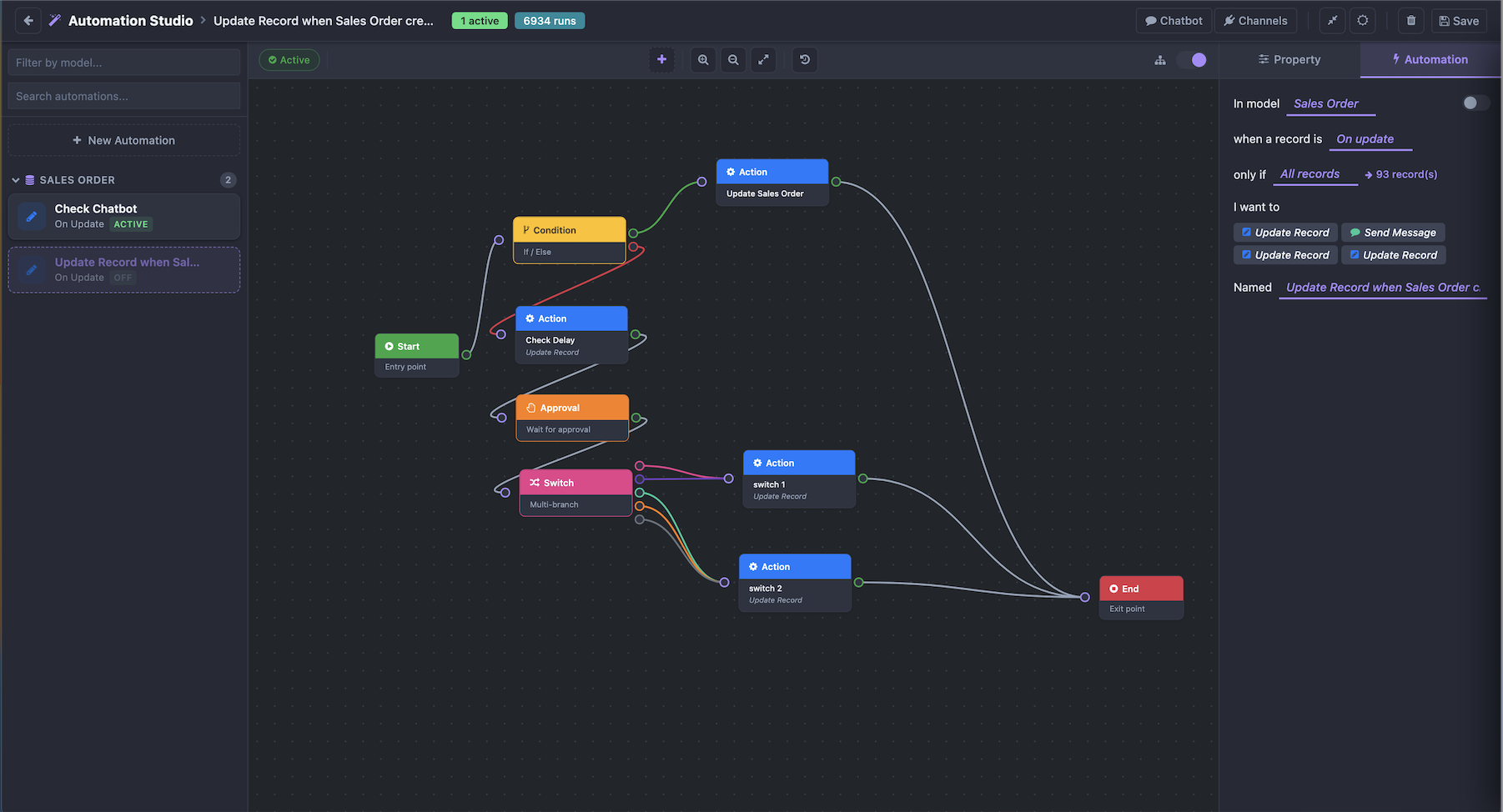
Automations — Visual flow builder
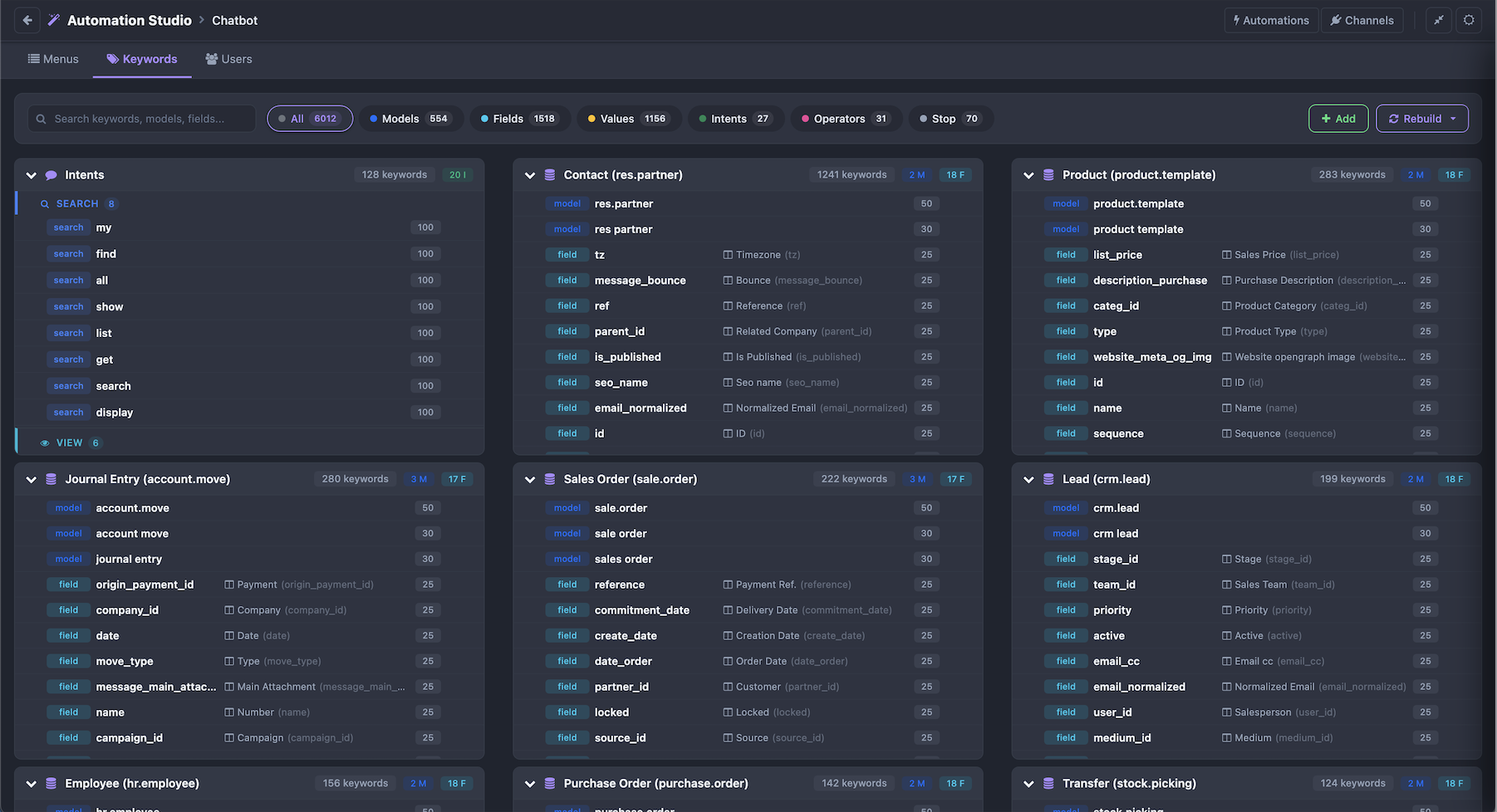
Chatbot — Menus, keywords & users
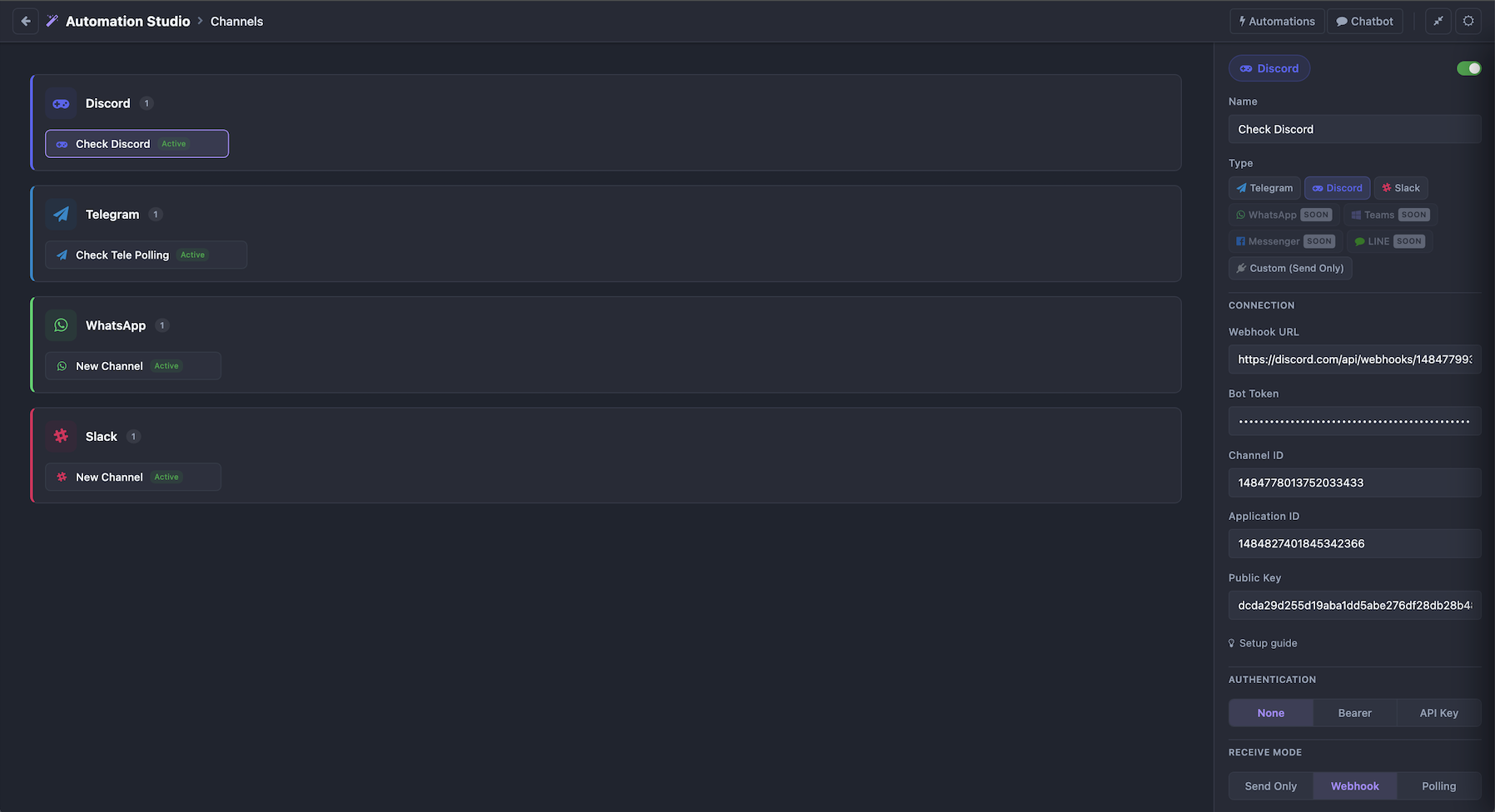
Channels — Multi-platform setup
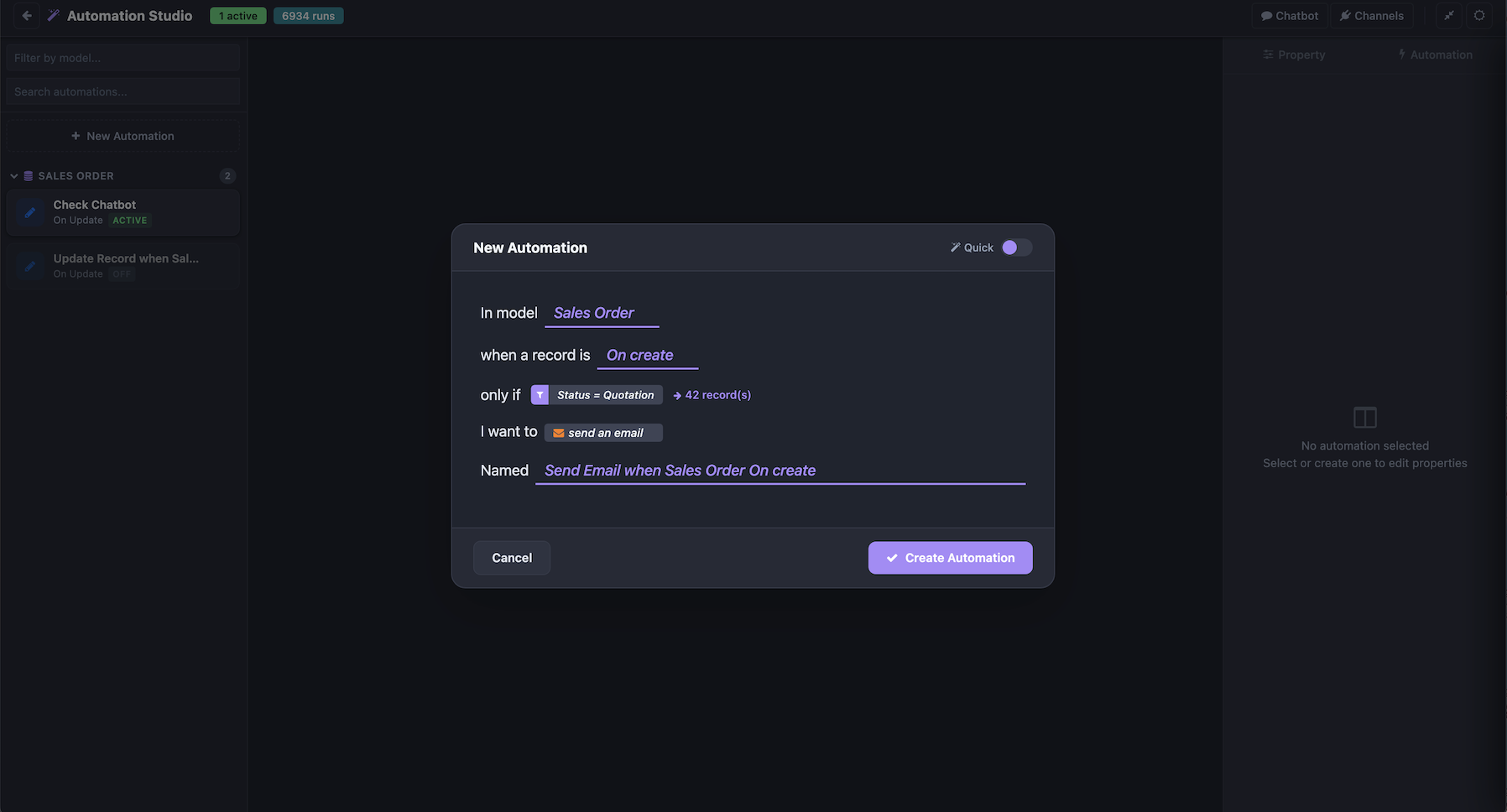
Quick Create — Create automation in seconds
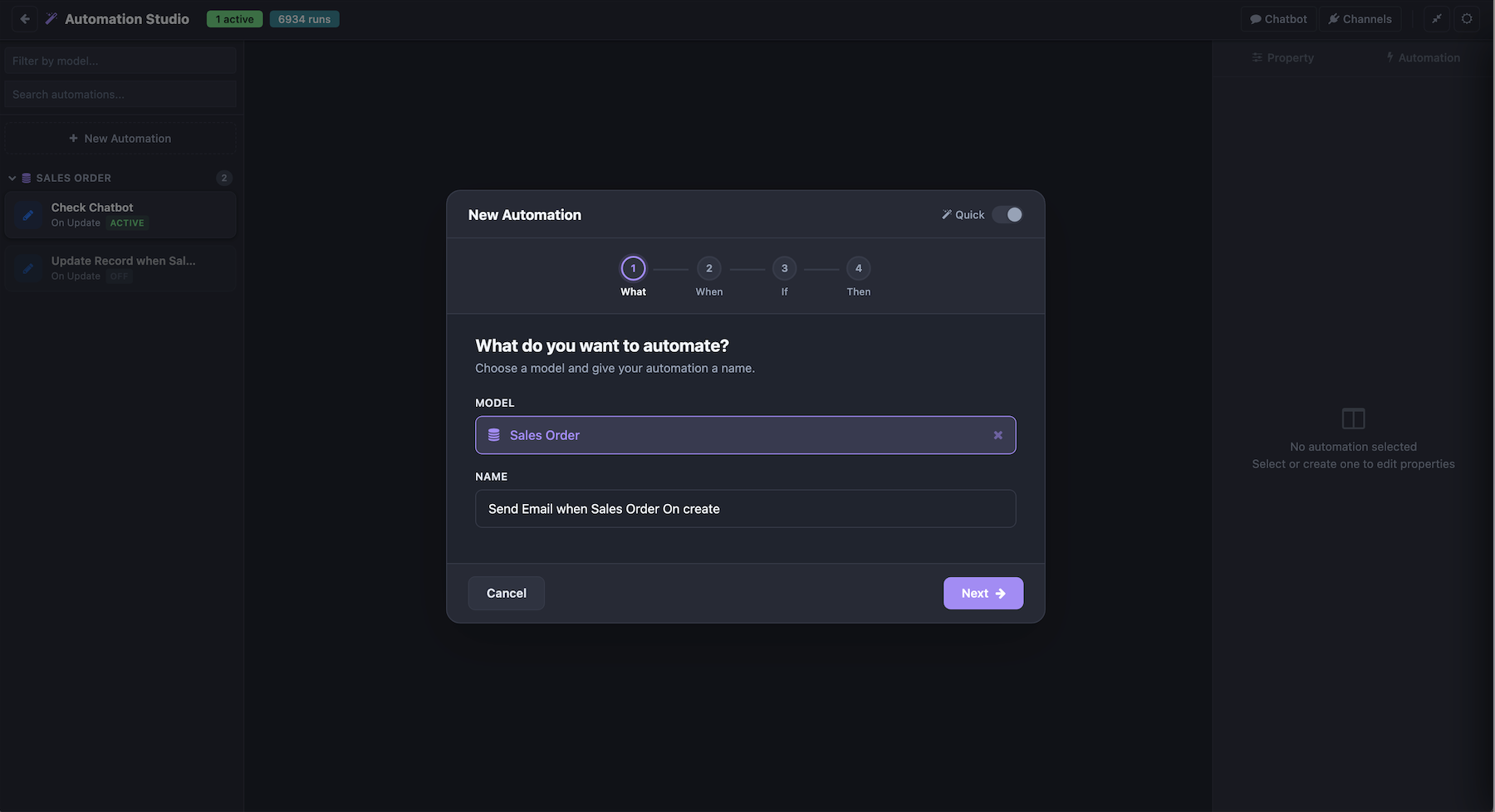
Step Create — Guided setup
Chatbot in action
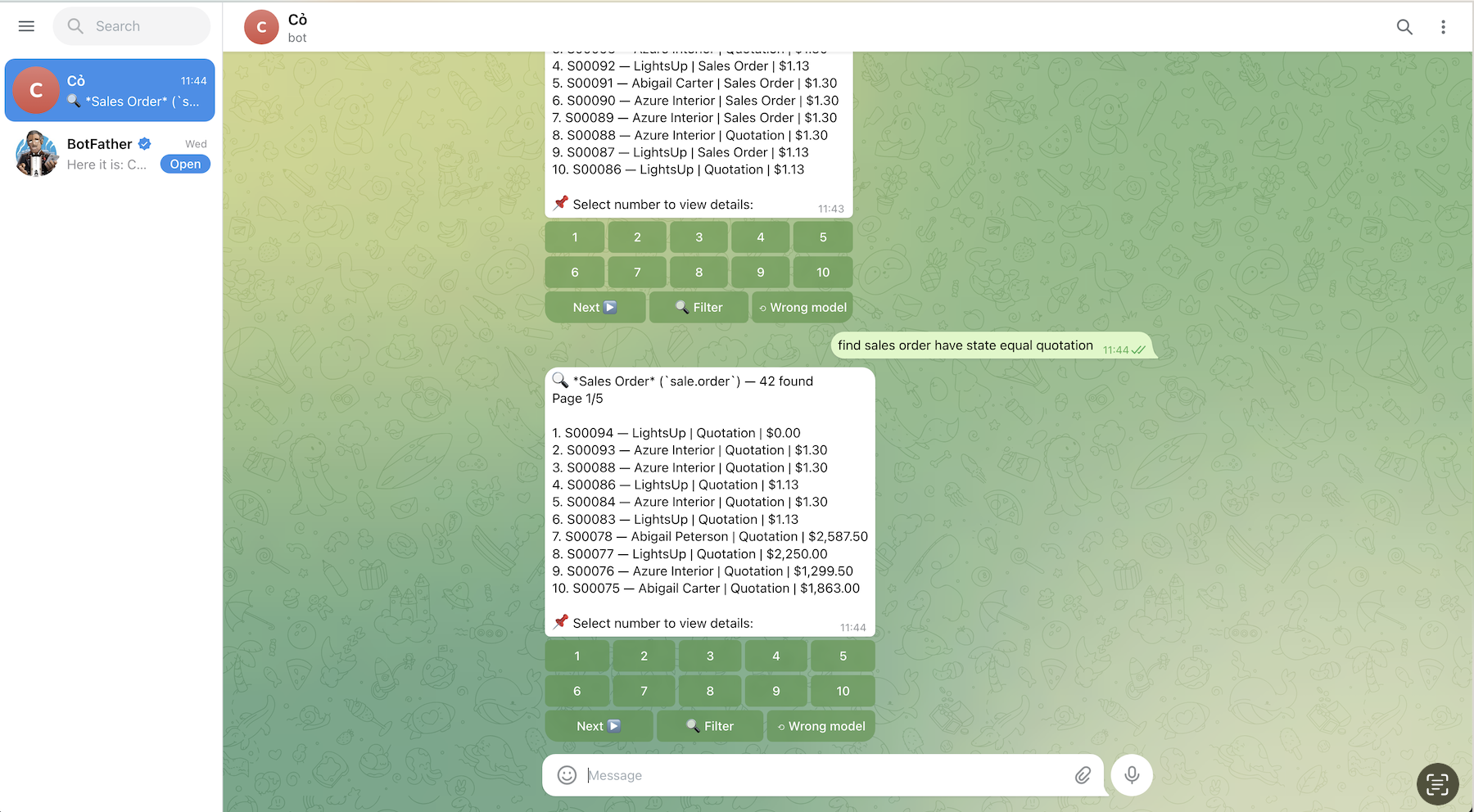
Telegram
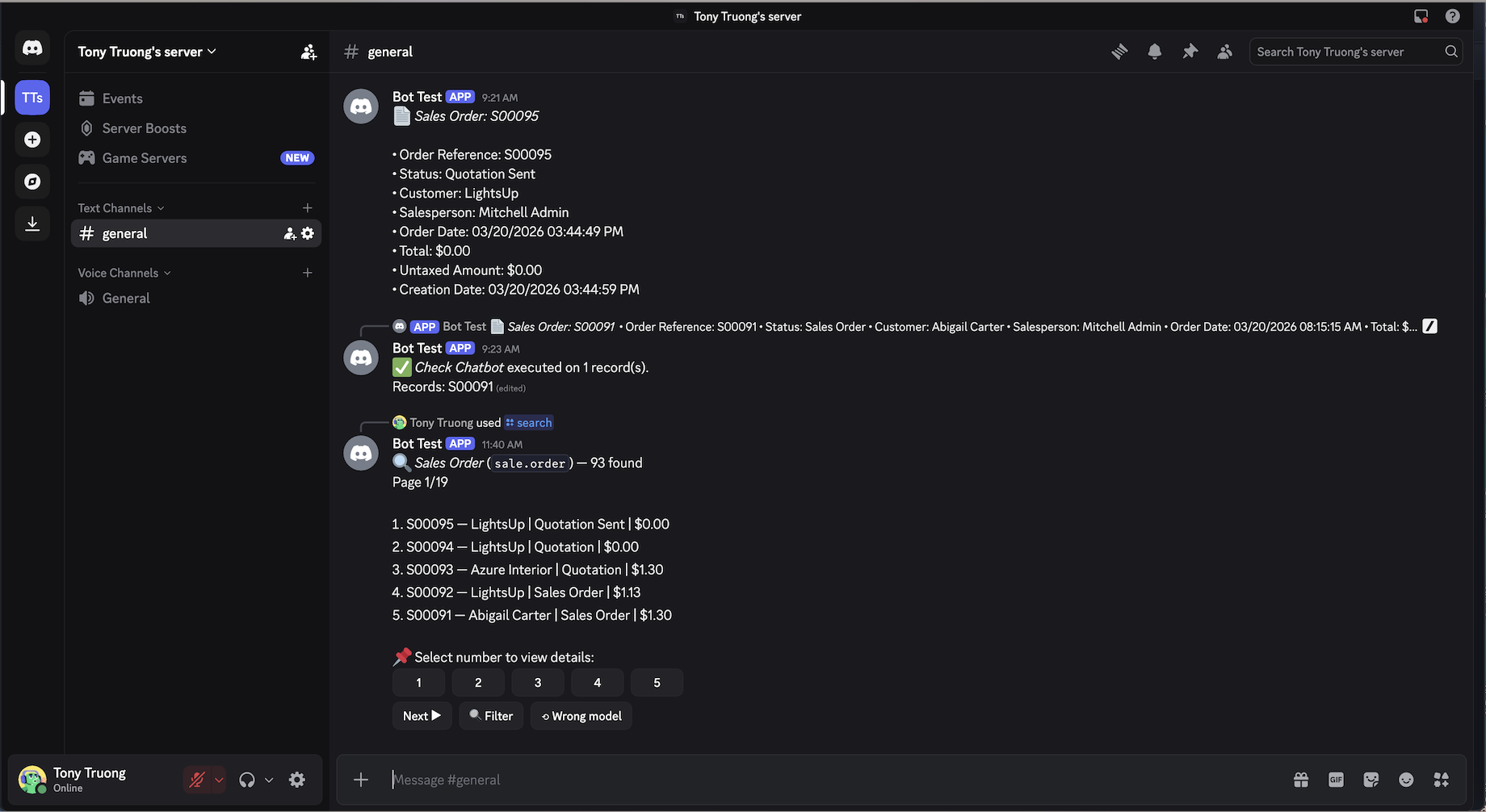
Discord
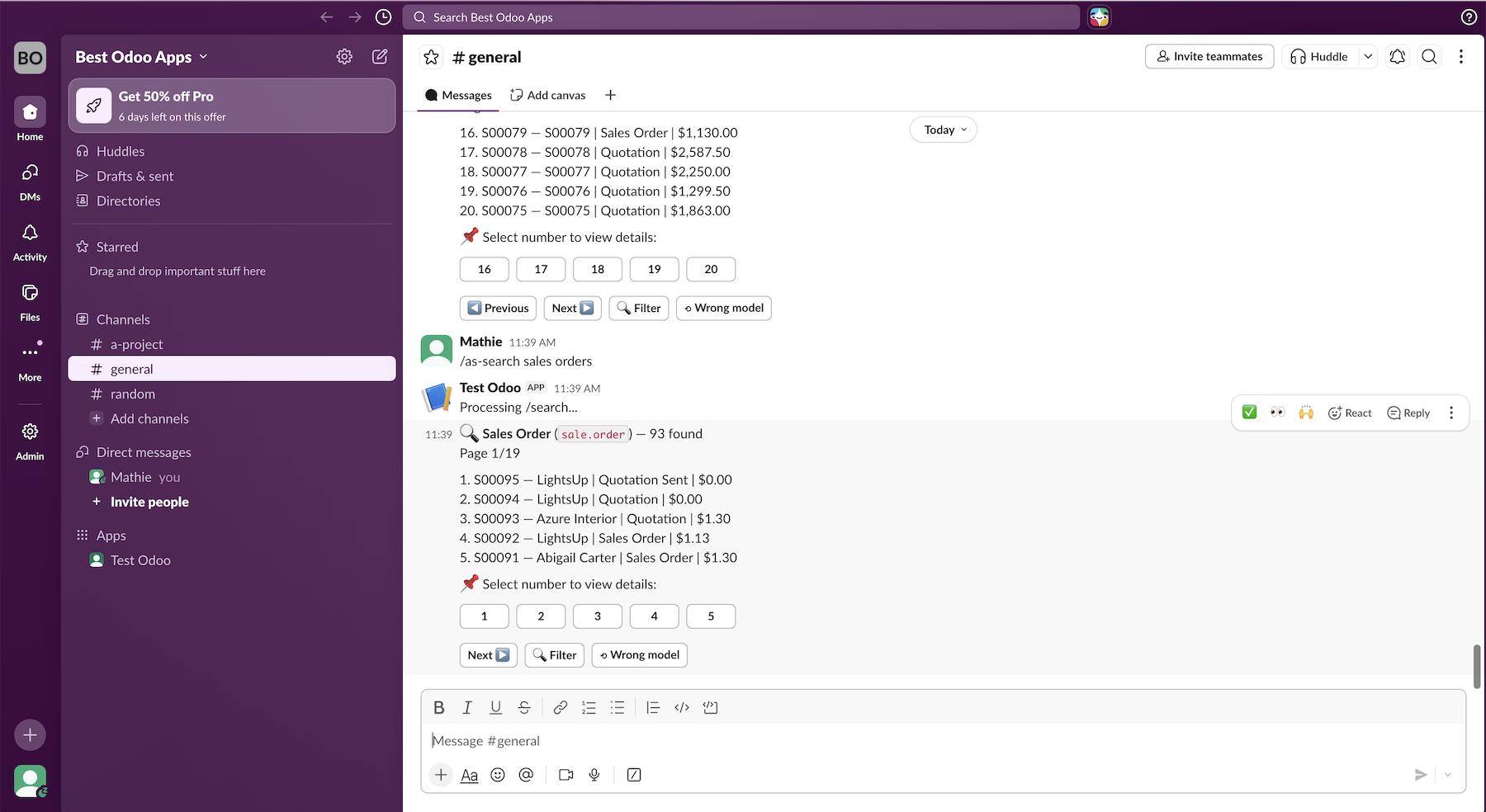
Slack
Real-world examples
Common automations with messaging integration
Sales Order Approval
Invoice Overdue Reminder
Purchase Order — Multi-Level Approval
Helpdesk Ticket Escalation
Chatbot — Search & Run From Chat
Multi-Channel Notification — User Preferences
One node, each user receives via their preferred channel. Configured per user.
Multi Actions — Parallel Execution
Hub node runs all connected actions sequentially — configurable outputs.
9 node types. Drag, drop, connect.
Design complex automations visually — no code required
Send email, create records, call APIs, generate PDFs, execute Python code.
If/Else branching with domain filters or Python expressions.
Multi-way routing based on field values or custom logic.
Wait for approval via Odoo activity or external messaging app.
Send notifications to users via Telegram, Discord, or Slack.
Iterate over records — run body actions for each item automatically.
Wait minutes, hours, days, or weeks before continuing the flow.
Try/catch wrapper — retry on failure, run fallback actions on error.
Hub node — run multiple actions sequentially, configurable outputs.
More Features
- Error Handler with auto-retry
- Template rendering
{{field_name}} - Async sending — no UI blocking
- User notification preferences
- Execution logs with step-by-step details
- Retry failed automations with 1 click
- Real-time status via WebSocket
Approve from chat. Resume automatically.
Approve or reject directly from your favorite messaging app
Features
- Multiple approvers (users + groups)
- Only authorized users can approve
- Via Odoo Activity or external app
- Sends to private chat & group
- Flow resumes automatically after approval
Example: Sales Order
Let AI build your flows
Requires ERPBlox AI Studio — auto-detects when installed. No extra config.
Describe → AI builds the flow
Type a description in natural language. AI generates complete flow with nodes, edges, and connections.
Understand any flow instantly
One click — AI reads the flow and generates a clear, step-by-step explanation in plain language.
Catch errors before they run
Check for missing branches, orphan nodes, unconfigured actions, and logic errors before activating.
Natural language → domain
Describe your filter condition — AI generates the Odoo domain. No domain syntax needed.
Generate message templates
AI writes notification and approval messages with {{field}} placeholders.
AI picks the right action
New server action type "AI" — write an instruction, link tools. AI reads the record and runs the right one.
Describe → AI writes Python
In any "Execute Code" action, describe what you need in plain English. AI generates the Python code.
Search, view, run — all from chat
Natural language commands, interactive buttons, and approval workflows
Commands
-
/searchFind records by natural language -
/viewView record details -
/countCount records with filters -
/runRun automation on records -
/menuInteractive menu system -
/helpShow all commands
Natural Language
- "find sales orders total > 1000"
- "count invoices state=draft"
- "run automation on purchase orders"
- Auto-detect model, field, operator, value
- Stem matching: "orders" = "order"
- Cumulative filters — refine on the fly
Interactive UI
- Inline buttons for record selection
- Pagination — next/previous
- Edit message instead of spam
- Modal forms for search input
- Custom chatbot menus
- User roles & permissions
- Group chat support (Telegram)
Connect to your team's favorite app
3 channels live today, 4 more coming soon
Telegram
Webhook + Polling
Inline buttons
Chatbot + Approval
Discord
Slash commands
Buttons + modals
Chatbot + Approval
Slack
Events API + Commands
Block Kit buttons
Chatbot + Approval
Coming Soon
MS Teams
SOONMessenger
SOONLINE
SOONShared Features
- Broadcast to verified users or groups
- DM individual users
- Approval buttons (Approve/Reject)
- One-click Connect — paste token, auto-fill
- Async sending — no UI blocking
- Setup guide built into Studio UI
- Email verification for user linking
- Edit message on navigation — no spam
Everything in one place
Unified workspace for automations, chatbots, and channels
Home
Dashboard & stats
Automations
Flow builder & config
Chatbot
Menus, keywords, users
Channels
Setup & manage
- Dark / Light mode
- Fullscreen mode
- Persists state across page reload
- Built-in setup guides per platform
Get in touch
Have questions? Need a demo? We're here to help.
LGPL Version 3
This software and associated files (the "Software") may only be used (executed,
modified, executed after modifications) if you have purchased a valid license
from the authors, typically via Odoo Apps, or if you have received a written
agreement from the authors of the Software (see the COPYRIGHT file).
You may develop Odoo modules that use the Software as a library (typically
by depending on it, importing it and using its resources), but without copying
any source code or material from the Software. You may distribute those
modules under the license of your choice, provided that this license is
compatible with the terms of the Odoo Proprietary License (For example:
LGPL, MIT, or proprietary licenses similar to this one).
It is forbidden to publish, distribute, sublicense, or sell copies of the Software
or modified copies of the Software.
The above copyright notice and this permission notice must be included in all
copies or substantial portions of the Software.
THE SOFTWARE IS PROVIDED "AS IS", WITHOUT WARRANTY OF ANY KIND, EXPRESS OR
IMPLIED, INCLUDING BUT NOT LIMITED TO THE WARRANTIES OF MERCHANTABILITY,
FITNESS FOR A PARTICULAR PURPOSE AND NONINFRINGEMENT.
IN NO EVENT SHALL THE AUTHORS OR COPYRIGHT HOLDERS BE LIABLE FOR ANY CLAIM,
DAMAGES OR OTHER LIABILITY, WHETHER IN AN ACTION OF CONTRACT, TORT OR OTHERWISE,
ARISING FROM, OUT OF OR IN CONNECTION WITH THE SOFTWARE OR THE USE OR OTHER
DEALINGS IN THE SOFTWARE.